Give your Xiaomi laptop
its rhythm back.
Tempo unlocks performance modes, smart fan control and battery care on Xiaomi and Redmi notebooks — in one beautifully native Windows app. The official tool is Chinese-only and often won't launch on English Windows at all. Tempo starts everywhere, speaks English, and listens when you turn the dial.
Everything your Xiaomi laptop
wished it could do
Six precise instruments, one app — tuned for Xiaomi and Redmi hardware.
Performance modes
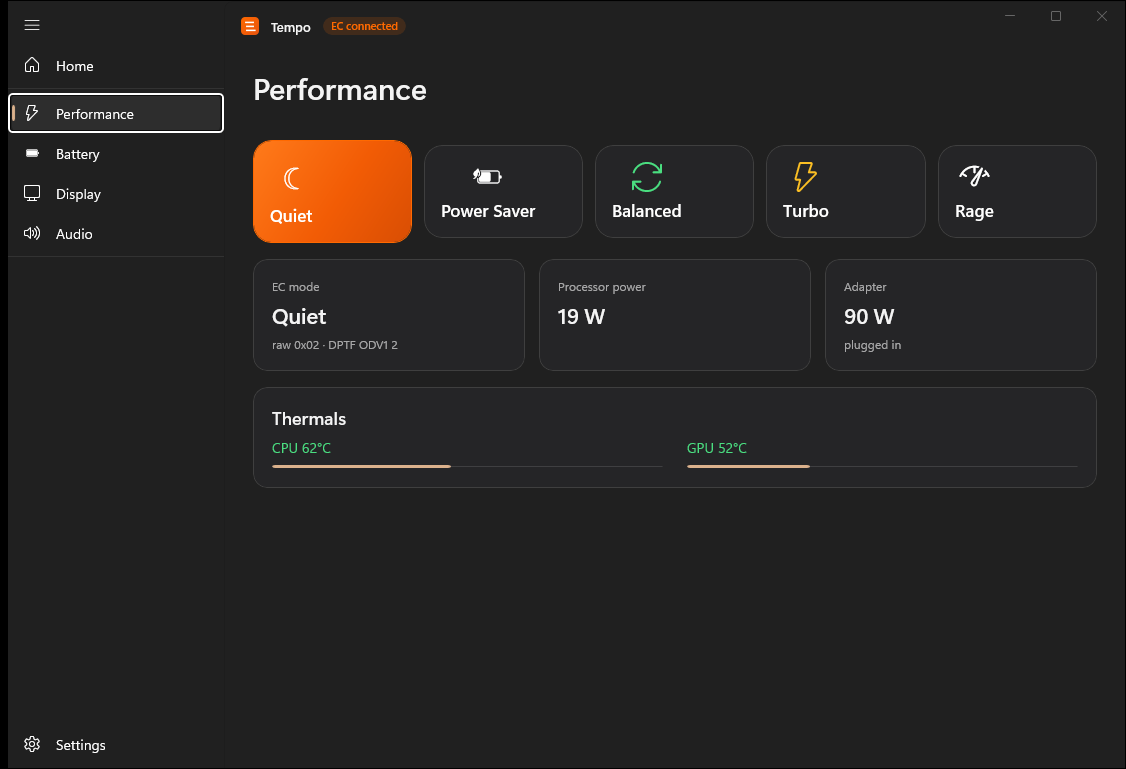
Quiet, Power Saver, Balanced, Turbo and Rage — applied at the embedded-controller level, instantly.
Smart fan control
Custom fan curves with hysteresis. Whisper-quiet at idle, full blast exactly when it matters.
Battery care
Set a charge threshold to keep your battery healthy for years, not months. Plugged-in without the worry.
Live telemetry
CPU, GPU, temperatures and power draw sampled once in the background — no polling storms, ever.
Display & audio
Refresh-rate switching, color profiles and a proper audio equalizer. One place for every switch.
Ridiculously light
Fully native WinUI app. No Electron, no web views, no background noise. You won't notice it's there.
Five moods.
One tap each.
Pick the tempo. Tempo drives the embedded controller to set fan curves, power limits and release profile to match.
The vendor's own night-and-cloud mode. The gentlest limits this firmware exposes — near-silent and barely warm.
Steady, efficient release profile. Cool, quiet, and kind to your battery on long days away from the plug.
The daily driver. The EC adapts on its own — boosts when you need it, relaxes when you don't.
The vendor's lightning mode — the highest official release. Tempo handles its power-adapter requirement for you.
The mode the official app never shows you — the vendor's own "Rage" (狂暴). The strongest profile this firmware exposes.
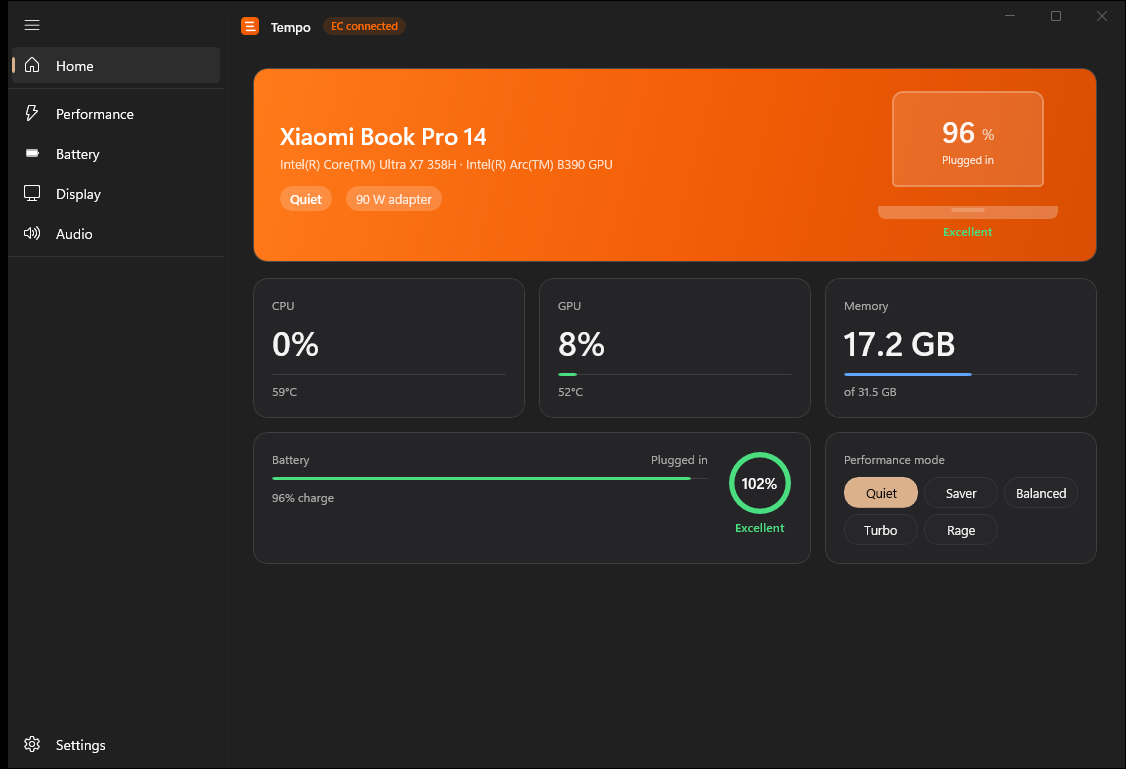
Straight from the app
Fully native WinUI 3 — this is what Tempo actually looks like on Windows 11.
One price.
Yours forever.
No subscription. No per-device license games. Buy it once, use it on your machines.
Lifetime license · free updates · 14-day money-back guarantee.
For Xiaomi and Redmi laptops running Windows 11.
What's included
- Five performance modes & custom fan curves
- Battery charge threshold
- Live hardware telemetry
- Display & audio controls
- Free minor and major updates
- Email support from the developer
Questions, answered
Which laptops does Tempo support?
Tempo is built and tested on Xiaomi/Redmi laptops, reading and writing the embedded controller those machines expose. If your model isn't detected, features degrade gracefully rather than guess.
Why do I need this? Doesn't Xiaomi already ship an app?
The official Mi app is written entirely in Chinese and, on English-language Windows, it often refuses to launch at all. Tempo is fully native, entirely in English, and starts on any Windows 11 install — no system-language gymnastics required. It also goes further than the official tool: five performance modes, including the hidden "Rage" profile.
Is Tempo affiliated with Xiaomi?
No. Tempo is an independent app and is not affiliated with, endorsed, or sponsored by Xiaomi. All product names are trademarks of their respective owners.
How do I receive the app after buying?
Your license key appears on screen the moment checkout completes, and a copy is emailed to you. Paste it into Tempo's Settings page and click Activate — the app locks itself to your device in seconds. There's also a free trial so you can try every feature before paying.
Is it safe? Can it damage my machine?
Tempo only changes values your hardware already supports and stays inside safe ranges defined for your model. The free trial lets you verify everything on your own machine before paying.
What if I don't like it?
14-day money-back guarantee, no questions asked. Email us and we'll refund within one business day.
Ready to set the tempo?
Start with the free trial, or get the full app. $0.00 once — every update after.